Linting
ESLint, Oxlint, and Biome rules that check what a prompt references, as you write it.
@foundry/linting checks prompts without running the code. The linter
parses the file and walks it; the rules pick out the prompts, hand their
text to @foundry/prompts, and report each finding where it was written.
One plugin loads in ESLint and in Oxlint, and a generated GritQL file does
the name-free half of the work in Biome. The editor extension for any of
them shows the findings inline.
The package is the home for every Foundry lint rule, grouped by domain.
Prompts are the first domain; its rules are foundry/prompts/<code>.
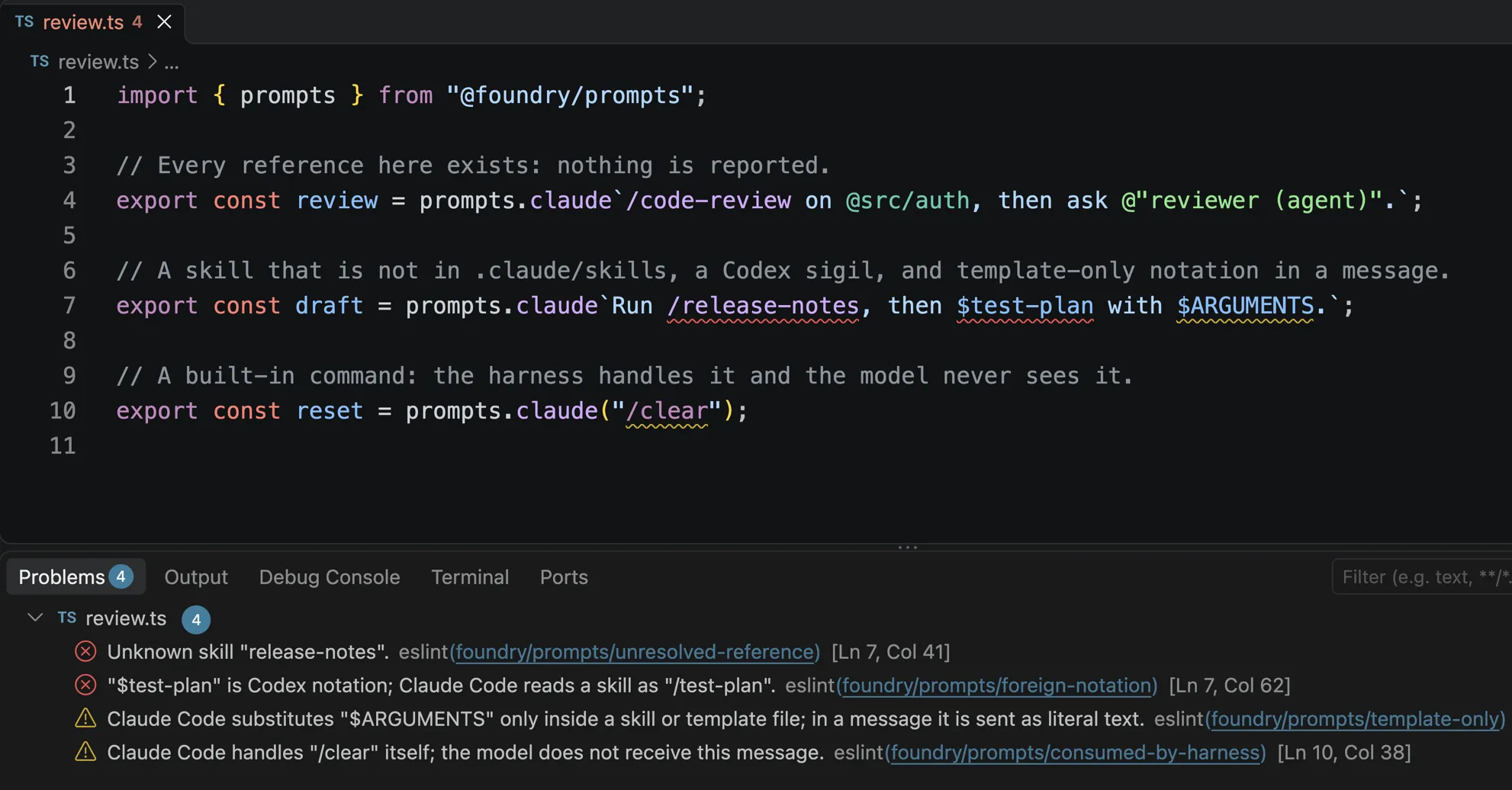
$ARGUMENTS in a message, and a built-in command.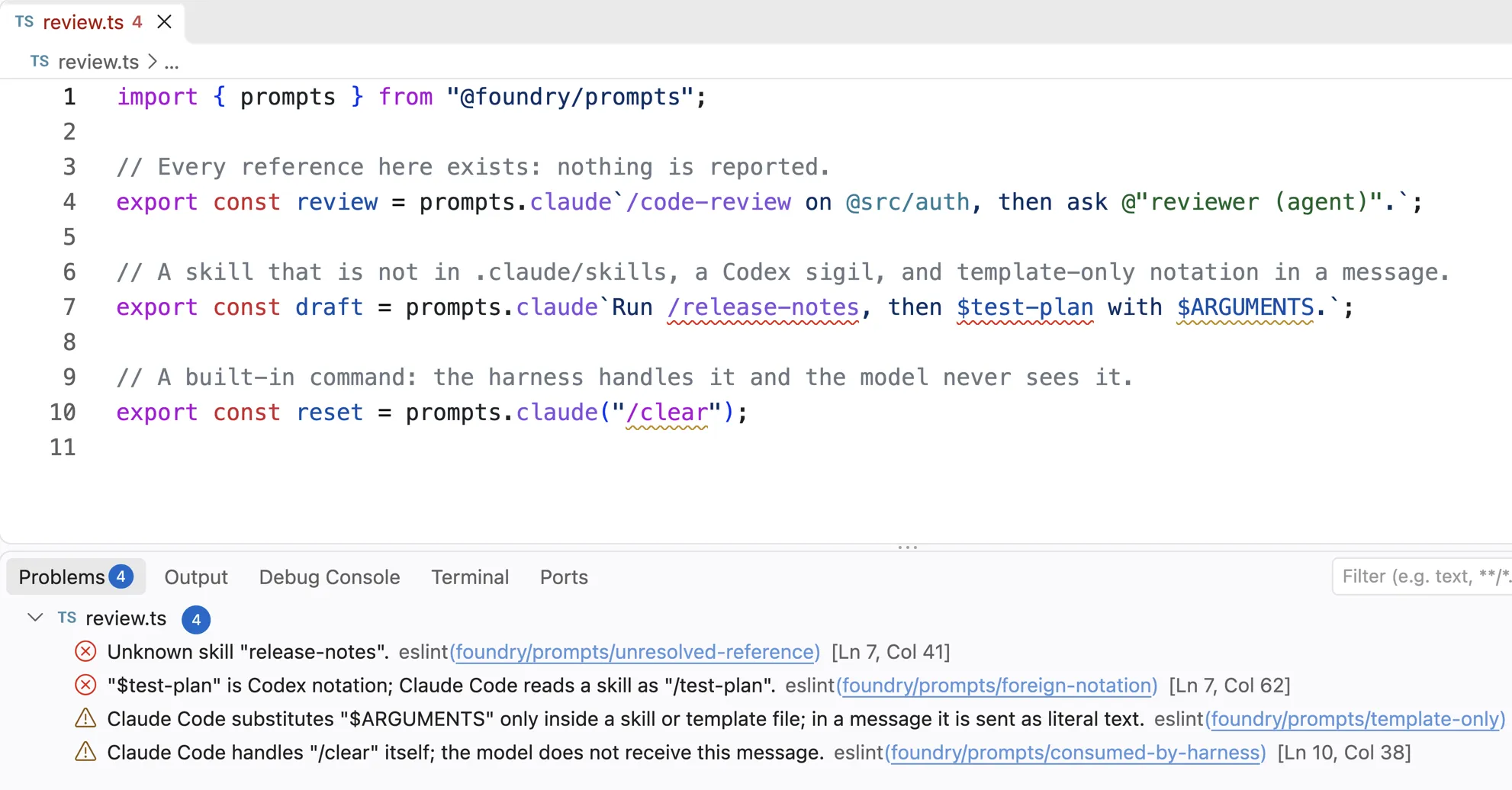
What is checked
The rules read tagged templates and calls on a member named after a stock
dialect, on any object: prompts.claude, mine.codex("…"), x.pi. A call
counts when its only argument is a string literal or a template literal
with no substitutions. A ${} inside a tagged template is a hole, and
nothing is ever reported across one: a reference built at runtime is
dynamic, not unknown.
| Rule | Reports | Biome |
|---|---|---|
foundry/prompts/unresolved-reference |
A skill or agent that nothing listed has, and a command or variable the harness does not know. | |
foundry/prompts/foreign-notation |
A skill or agent you have, written the way another harness reads it: $review in a Claude Code prompt, where it should be /review. |
|
foundry/prompts/template-only |
$ARGUMENTS, ${CLAUDE_SKILL_DIR}, !`cmd` and the like in a message, where the harness sends them as literal text. |
yes |
foundry/prompts/consumed-by-harness |
A message the harness acts on itself, such as /clear or !git status, so the model never receives it. |
yes |
Each diagnostic code is its own rule, named after the code, so each has its
own severity. The two codes about interpolated values, misread-reference
and unsupported-reference, need the value and are left to the tag at
runtime.
The first two rules need to know what exists. Until you list skills or
agents, no skill or agent is questioned and no sigil is called foreign.
Commands and harness variables are checked against each dialect’s
built-ins regardless, so prompts.codex opening with /nope is reported
with no configuration at all.
Setup
The package is internal to Foundry for now, like @foundry/prompts. Point
it at your skills and agents; the settings under settings.foundry.prompts
are shared by every prompts rule.
// eslint.config.js
import tsParser from "@typescript-eslint/parser";
import foundry from "@foundry/linting";

export default [
  {
    files: ["**/*.ts"],
    languageOptions: { parser: tsParser },
    ...foundry.configs.recommended,
    settings: {
      foundry: {
        prompts: {
          skills: [".claude/skills", "plugin:lint"],
          agents: [".claude/agents"],
        },
      },
    },
  },
];
// .oxlintrc.json
{
"jsPlugins": ["@foundry/linting"],
"rules": {
"foundry/prompts/unresolved-reference": "error",
"foundry/prompts/foreign-notation": "error",
"foundry/prompts/template-only": "warn",
"foundry/prompts/consumed-by-harness": "warn"
},
"settings": {
"foundry": {
"prompts": { "skills": [".claude/skills"], "agents": [".claude/agents"] }
}
}
}| Setting | Meaning |
|---|---|
skills, agents |
Names, or directories to list. An entry with a slash or a leading dot is a directory. A skills directory contributes its subdirectory names, as in .claude/skills/<name>/SKILL.md; an agents directory contributes its .md file names. Paths are relative to the linter’s working directory. |
dialects |
Extra member names and the stock dialect each reads as: { "house": "claude" } checks mine.house from assemble. |
surface |
message by default. Set template for code that writes skill and command files, where $ARGUMENTS and inline shell belong. |
Nothing is discovered beyond what is listed. A directory is read with one
readdir and the listing is kept for two seconds, so a new skill shows up
in the editor without a read per prompt.
configs.recommended is an ESLint flat config object with every rule on,
errors as errors and warnings as warnings. Oxlint’s JS plugins are alpha;
the plugin’s tests run oxlint over the sample files to prove it loads.
Biome
Biome’s plugins are GritQL patterns, which cannot call @foundry/prompts.
So the package generates biome/prompts-*.grit from a regex mirror of the
notations, the way the editor grammar mirrors them, and tests that Biome
reports where ESLint reports.
// biome.jsonc
{
  "plugins": [
    "./node_modules/@foundry/linting/biome/prompts-consumed-by-harness.grit",
    "./node_modules/@foundry/linting/biome/prompts-template-only.grit"
  ]
}
Biome covers the two checks that need no list of names. It reads only the
stock member names, always as a message, and underlines the whole prompt
once rather than each reference, since a GritQL regex matches a node’s
whole text. The rule name is at the end of the message; every plugin
finding is in Biome’s plugin category, so suppress one with
biome-ignore lint/plugin. The other two rules wait for Biome to read
directories or run JavaScript.
In the editor
The ESLint, Oxc, and Biome extensions for VS Code read the same config and underline each finding, with the message in the Problems panel. Nothing in the Foundry Prompts extension runs for this: it colours references, and the linter checks them.
Limits
- References by value.
${ref.skill("x")}and adefineSkillvalue are holes to a static rule. The tag checks them at runtime; a type-aware check is a later step. - Skill and agent files.
SKILL.mdand.claude/agents/*.mdare not linted. Biome has no Markdown parser yet (biome#3718); the plan is to wait for it rather than lint Markdown through ESLint alone. - Biome checks two of the four. Resolution and foreign notation need names, which a GritQL file cannot read. That changes if Biome ships JS plugins, at which point the ESLint rules port directly.