Prompts
Write prompts for Claude Code, Codex, and Pi, and know what they reference.
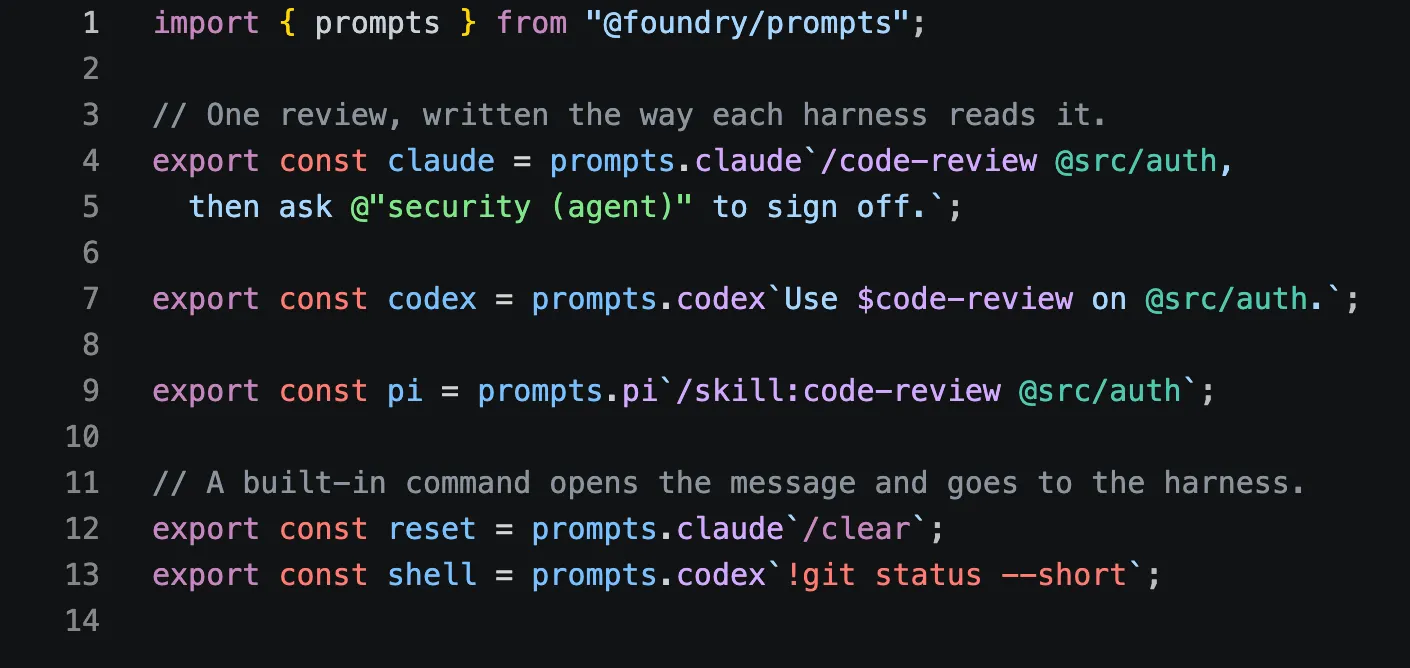
@foundry/prompts reads a prompt the way a coding harness reads it.
Each harness has its own notation. Claude Code invokes a skill as /name,
Codex mentions one as $name, and Pi loads one as /skill:name. All three
mention a file as @path; Claude Code mentions an agent as
@"name (agent)". The package knows these notations. It lists what a prompt
references, checks each reference against the skills, agents, and files you
have, and writes a reference in the notation each harness expects.
import { prompts, ref } from "@foundry/prompts";

const reviewer = ref.agent("reviewer");
const review = prompts.claude`/code-review @src/auth, then ask ${reviewer}.`;

review.text;
// '/code-review @src/auth, then ask @"reviewer (agent)".'
review.references;
// the skill, the file, and the agent, each with its position
review.diagnostics;
// empty, or findings such as 'Unknown agent "reviewer".'
prompts.codex and prompts.pi work the same way. A reference interpolated
with ref is written in the notation of the tag it lands in, so the same
skill reads as /code-review, $code-review, or /skill:code-review.
Diagnostics are read against what exists each time you ask, so a skill
defined after the prompt was written still resolves. With strict on, a tag
throws instead of returning a prompt with errors.
The package is internal to Foundry for now. Its README covers the full API: sources, custom dialects, and the parser that editor tooling builds on.
In the editor
Editor support covers a VS Code extension that highlights these references as you write them, in TypeScript and in skill, agent, and rule files. Linting covers the ESLint and Oxlint rules that check them.