Editor support
A VS Code extension that highlights what a prompt references, in TypeScript and in skill files.
The Foundry Prompts extension for VS Code colours each thing a prompt
references: skills, agents, files, commands, templates, arguments, harness
variables, and shell. It reads each harness’s own notation, so /code-review
in a Claude Code prompt, $code-review in a Codex prompt, and
/skill:code-review in a Pi prompt are all marked as the same skill. The
rest of the prompt stays a plain string.
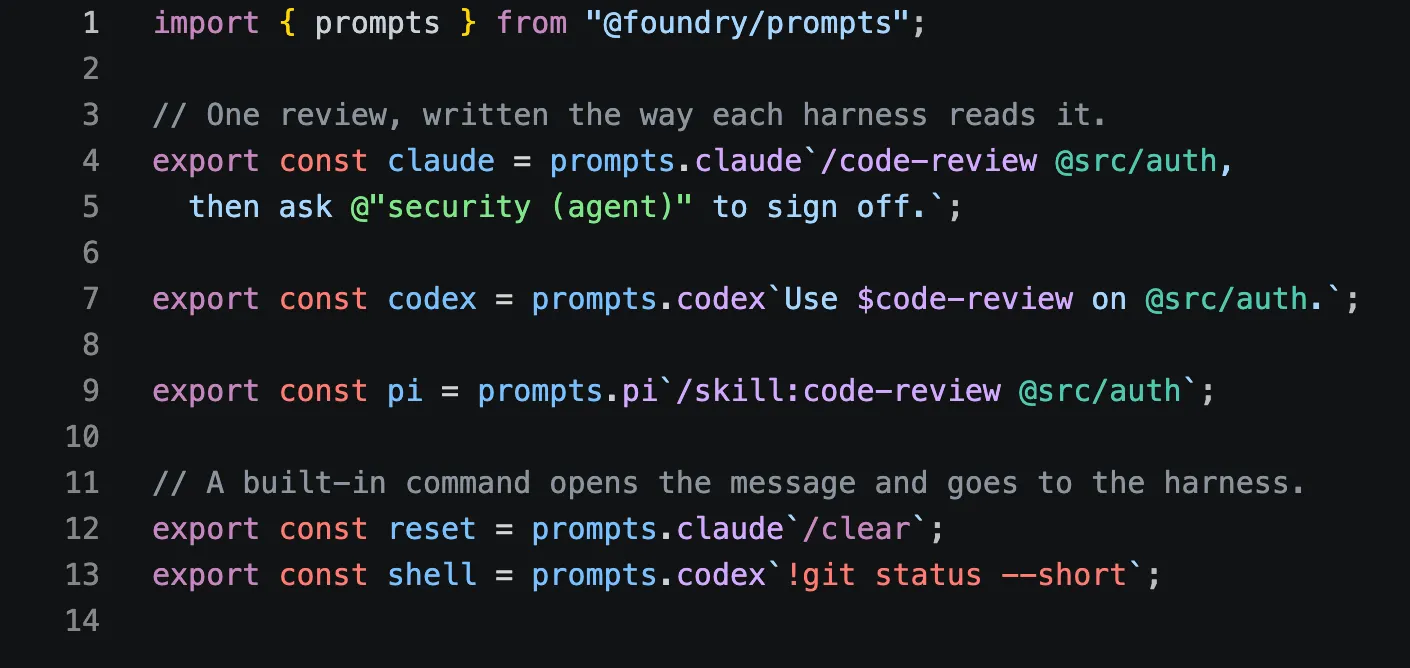
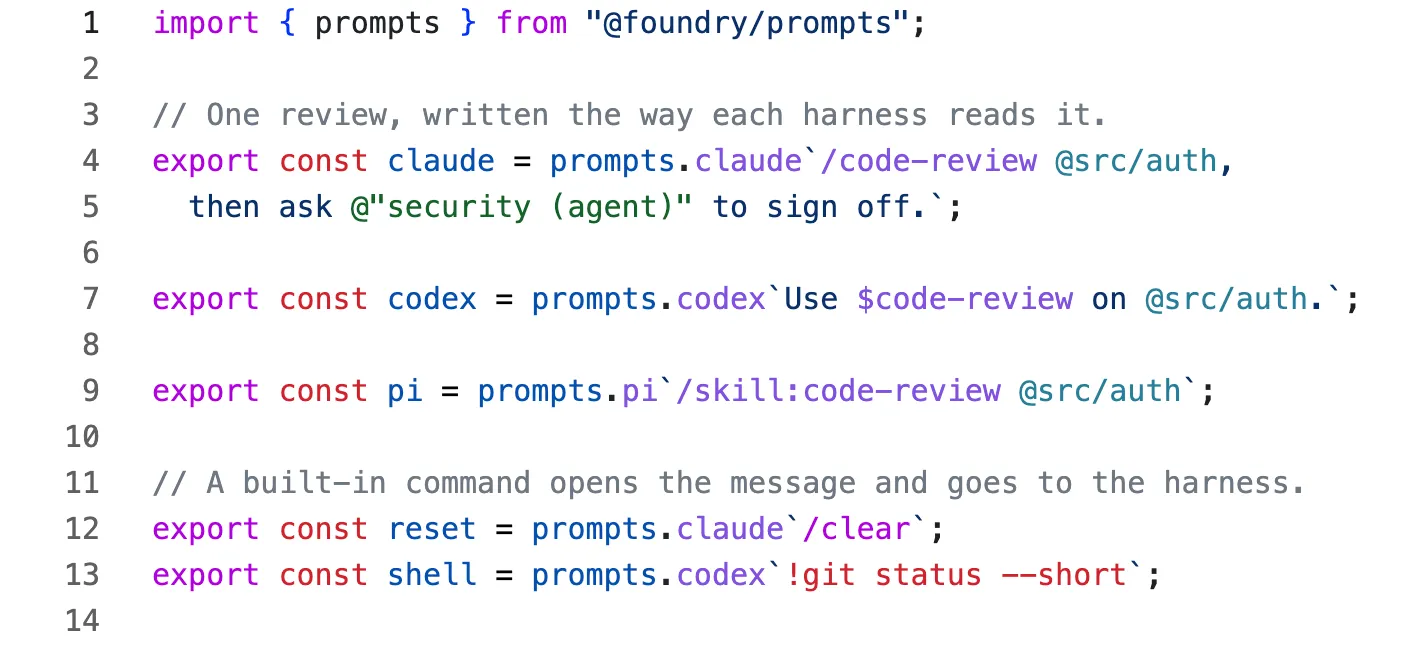
In TypeScript and JavaScript
The extension highlights prompts inside the prompts tags, as tagged
templates and as plain-string calls:
prompts.claude`/code-review @src/auth`;
prompts.codex("use $review");
Any object can come before the dialect: mine.claude from assemble
highlights the same way as prompts.claude. A ${} substitution inside a
prompt is still ordinary TypeScript, and a prompt written inside a
substitution is highlighted too. Other template literals, strings, and
comments are left alone.
In a template literal, notation that only works in a template is written with
backslash escapes: \${CLAUDE_SKILL_DIR} and !\`git status\`. The
extension highlights them as written.
In skill, agent, and rule files
VS Code opens SKILL.md, .claude/agents/*.md, .claude/rules/**/*.md, and
*.prompt.md files with their own language ids. The extension reads the body
of each one as a Claude Code template, so arguments, ${CLAUDE_SKILL_DIR},
and inline shell are highlighted alongside skills, files, and agents.
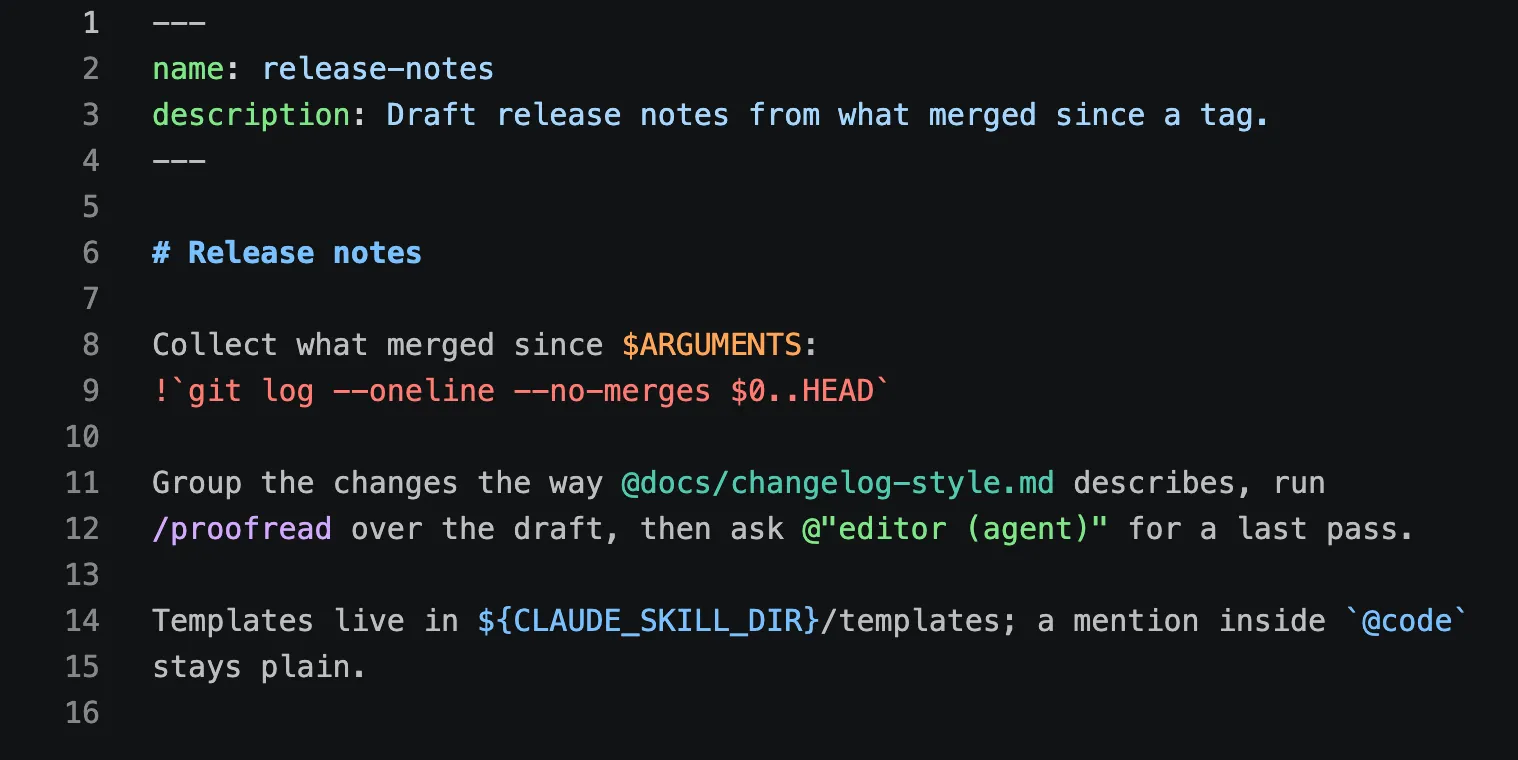
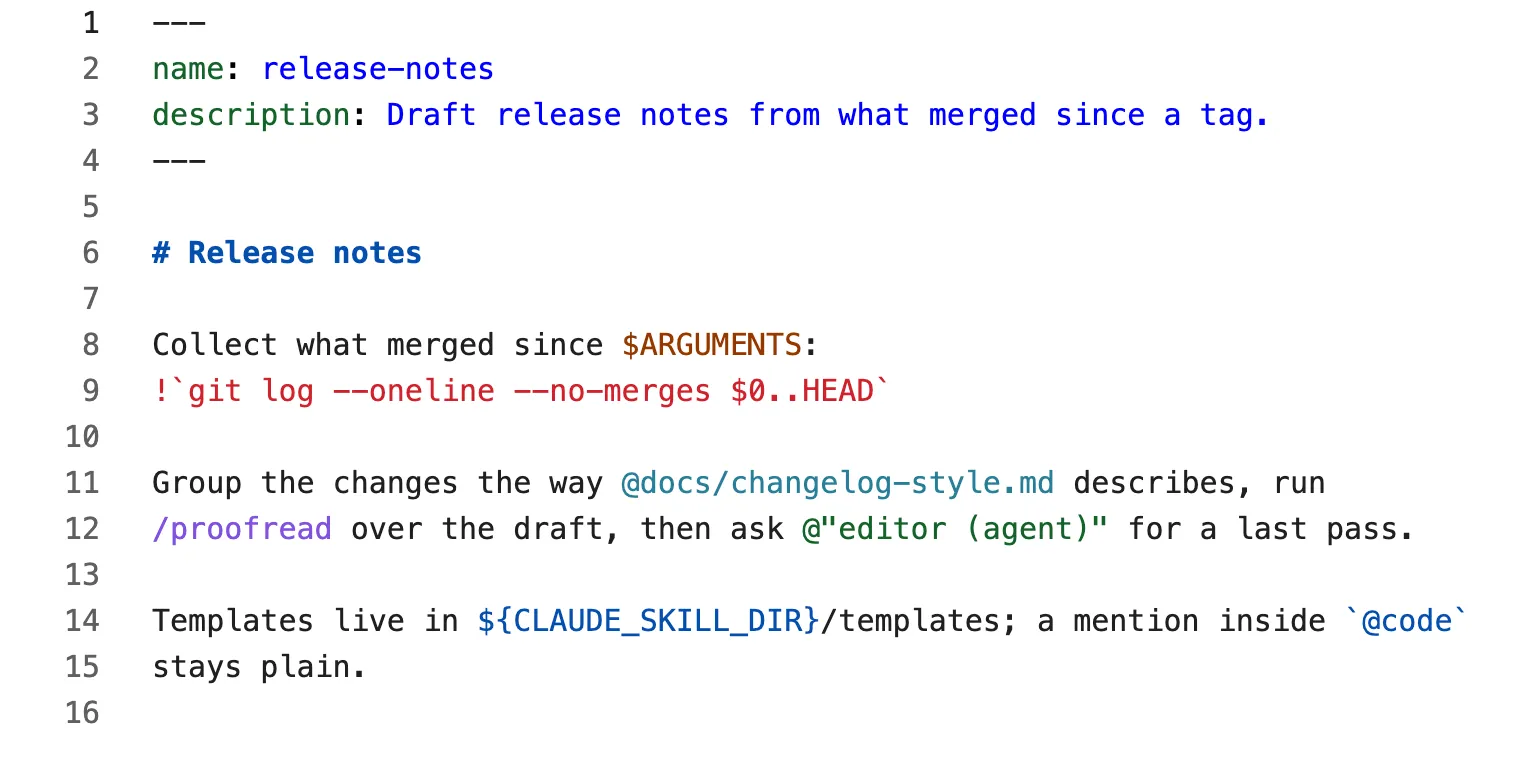
Frontmatter, code spans, fenced code, and link targets stay plain. Ordinary markdown, such as a README, is not highlighted at all.
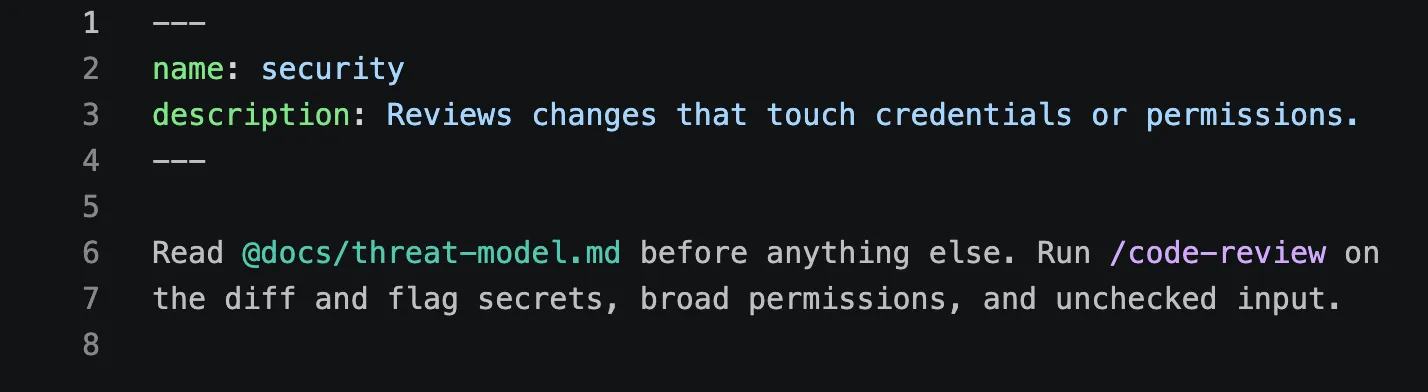
.claude/agents/.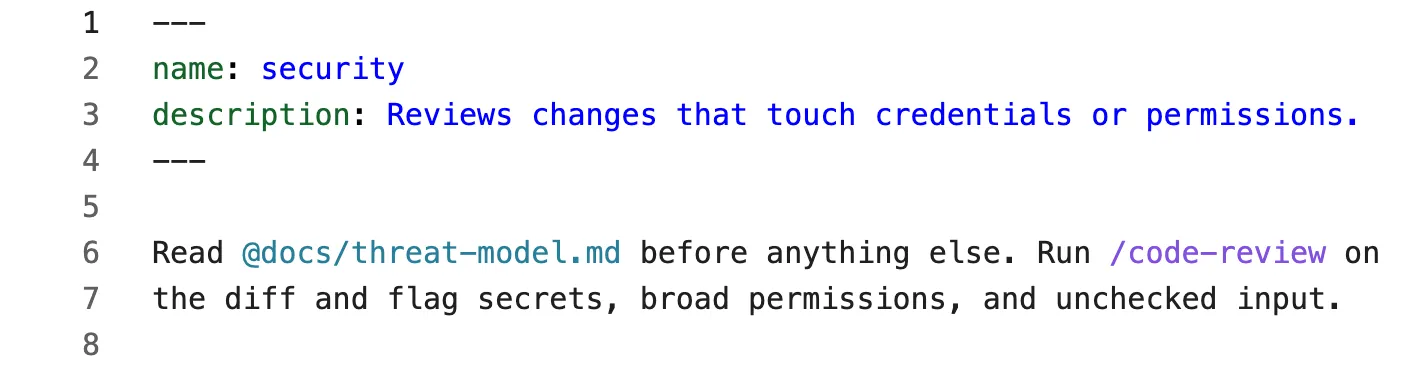
What each harness reads
| Reference | Claude Code | Codex | Pi |
|---|---|---|---|
| Skill | /code-review |
$code-review |
/skill:code-review, opening the message |
| Built-in command | /clear, opening the message |
/review, opening the message |
/compact, opening the message |
| Prompt template | /prompts:draft, opening the message |
/draft, opening the message |
|
| File | @src/auth |
@src/auth |
@src/auth |
| Agent | @"security (agent)" |
||
| Argument | $ARGUMENTS, $ARGUMENTS[0], $0, $name |
$ARGUMENTS, $1, $FILE |
$1, $@ |
| Harness variable | ${CLAUDE_SKILL_DIR} |
||
| Shell | !`git status` |
!git status, as the whole message |
!git status, as the whole message |
A command only counts when it opens the message. Later in the text,
/review is a skill in Claude Code and plain text in Codex. Codex escapes a
literal dollar sign as $$.
Colours
The extension does not ship a theme. Each kind of reference gets a TextMate scope that stock themes already colour, and the extension’s tests check that every kind stands out from the text around it in Dark+, Light+, and the GitHub themes that VS Code’s 2026 themes take their palette from.
| Kind | Scope |
|---|---|
| Skill, template | entity.name.function.*.prompt |
| Command | keyword.control.command.prompt |
| Agent | entity.name.tag.agent.prompt |
| File | support.type.path.prompt |
| Argument | variable.parameter.argument.prompt |
| Harness variable | variable.other.constant.environment.prompt |
| Shell | keyword.other.shell.prompt |
To restyle one kind, target its scope in editor.tokenColorCustomizations.
“Developer: Inspect Editor Tokens and Scopes” shows the scope under the
cursor.
Install
The extension is not on a marketplace yet. Build and install it from a Foundry checkout:
cd tooling/vscode-extension
bun run build            # writes dist/foundry-prompts.vsix
bun run editor:install   # installs it into VS Code, replacing any earlier copy
Reload open windows afterwards. To remove it, run
code --uninstall-extension foundry.foundry-prompts.
Other VS Code builds take the same file through their own CLI, such as
cursor --install-extension dist/foundry-prompts.vsix --force. An editor
built on an older VS Code may open skill files as plain markdown; there, only
the TypeScript half works.
Limits
- Highlighting only. A skill or agent looks the same whether or not it exists. Linting checks them, through the ESLint, Oxc, or Biome extension.
- Custom dialect keys.
mine.housefromassembleis not highlighted, because nothing in the source says which harness it is. - Command files. VS Code opens
.claude/commands/*.mdas plain markdown, and highlighting there would colour every README. - One line at a time. A grammar matches line by line, so in a few edge cases it reads a prompt differently from the parser. For example, a command on the line after the opening backtick is highlighted as a skill. The extension’s README lists each case.
Working on the extension
The extension lives in tooling/vscode-extension. Run the “Prompts extension”
launch configuration (F5) from the repository root to open a window with only
this extension loaded, on its sample files. src/grammar.ts builds the
grammars; after changing it, run bun run grammar and reload that window.
The tests run every grammar through a TextMate engine and compare what it
highlights with what the @foundry/prompts parser reads, for each harness.